The numbers that matter, first.
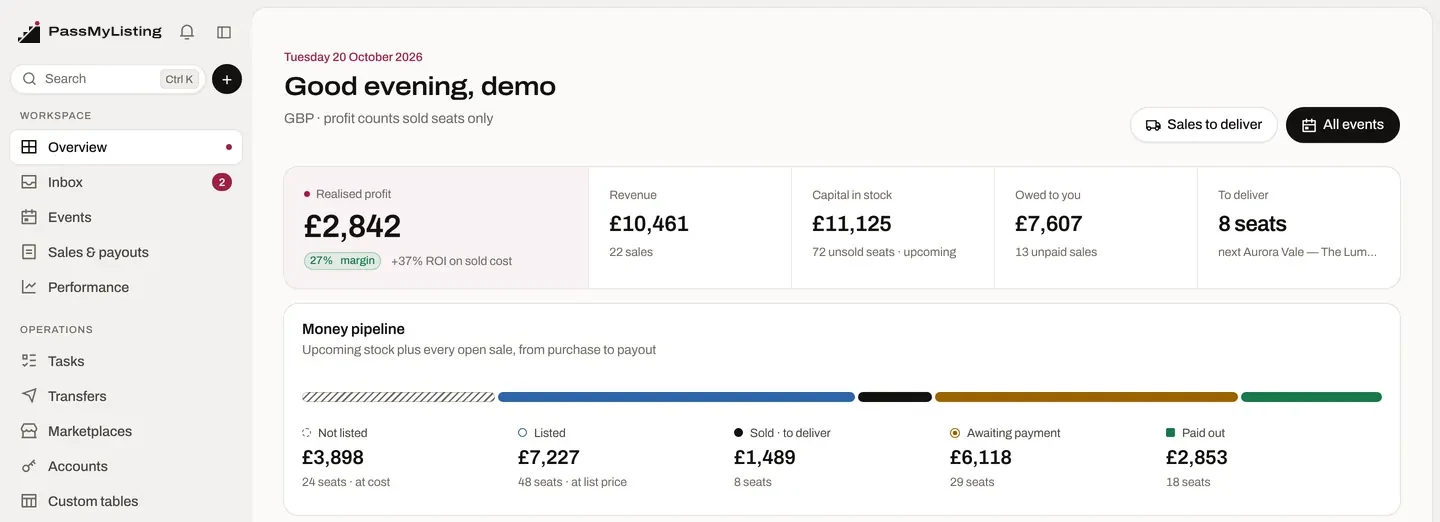
Realised profit, margin and ROI, capital tied up in stock, money owed, and what needs you today — on one overview.
PassMyListing
Buy, list, sell, deliver and get paid — with every seat tracked from the purchase email to the payout, in one connected workspace.

Inventory, listings, sales, fulfilment and payouts stop living in separate tabs and spreadsheets. They become one pipeline — the same five stages you'll see on every screen.
Inventory
Every event, every lot, every seat — with what it cost and what it's earning.
Events grouped by month with sell-through, a live seat pipeline, cost, revenue, profit and ROI for each.
Open an event to see each ticket lot — section, row, seats, quantity and status, its price, and the marketplaces it's live on. One click shows every listing with its price, and part-sold lots show what's gone and what's left.
Cost each, sold value and profit sit on every row, so you know which purchases are paying off before the night.


Marketplaces
Connect each marketplace account once. PassMyListing creates your listings, keeps price and quantity in step across channels, and brings every order home.
 Vivid SeatsListings · orders
 ViagogoWeb account · polled
 StubHub InternationalListings · polled
 GigsbergListings · orders
 Reach ProViagogo sales
Choose where each lot goes. Prices and quantities follow the lot, and a sale on one channel takes the seats off the others.
Set a percentage per channel — 0% here, 2% on Gigsberg — and new listings price themselves to match.
Connection status, live listings, open orders and sync health for every account, with errors surfaced the moment they happen.

Purchase inbox
Connect your buying mailbox. The confirmations you already receive become inventory — after you've checked them.
PassMyListing checks your mailbox on a schedule and picks out ticket purchase confirmations — not newsletters, not reminders.
Event, venue, date, section, row, seats, quantity, cost and order number are read into a review card you can edit.
It matches the event you already have, or proposes a new one. Commit, and the lots land in the event — nothing is added until you do.
Built-in readers for Ticketmaster (UK, Europe, Nordics, Mexico and resale), AXS, Fnac Spectacles and Gigs and Tours, with AI reading for other confirmations. Order updates and cancellations are recognised too.
Sales & payouts
Orders from every marketplace land in one list — with what's left to deliver, what you're owed, by whom, and the profit on each.

Fulfilment
Open a sale and Fulfil. PassMyListing knows the buyer, the seats and the order they came from — and keeps the receipt when they've gone.
From the marketplace, with buyer and seats.
Which seats on the order can move right now.
Name and email filled in, checked before sending.
Progress tracked live — errors shown, never hidden.
Kept on the sale, marked delivered.
For supported Ticketmaster and AXS orders, the transfer itself runs through PassMyTicket, connected to PassMyListing. PassMyListing checks the session, shows which seats are transferable, sends them to the buyer, follows the task and records the proof.
Control
Know where the money is, give your team the right keys, and keep it all within reach.
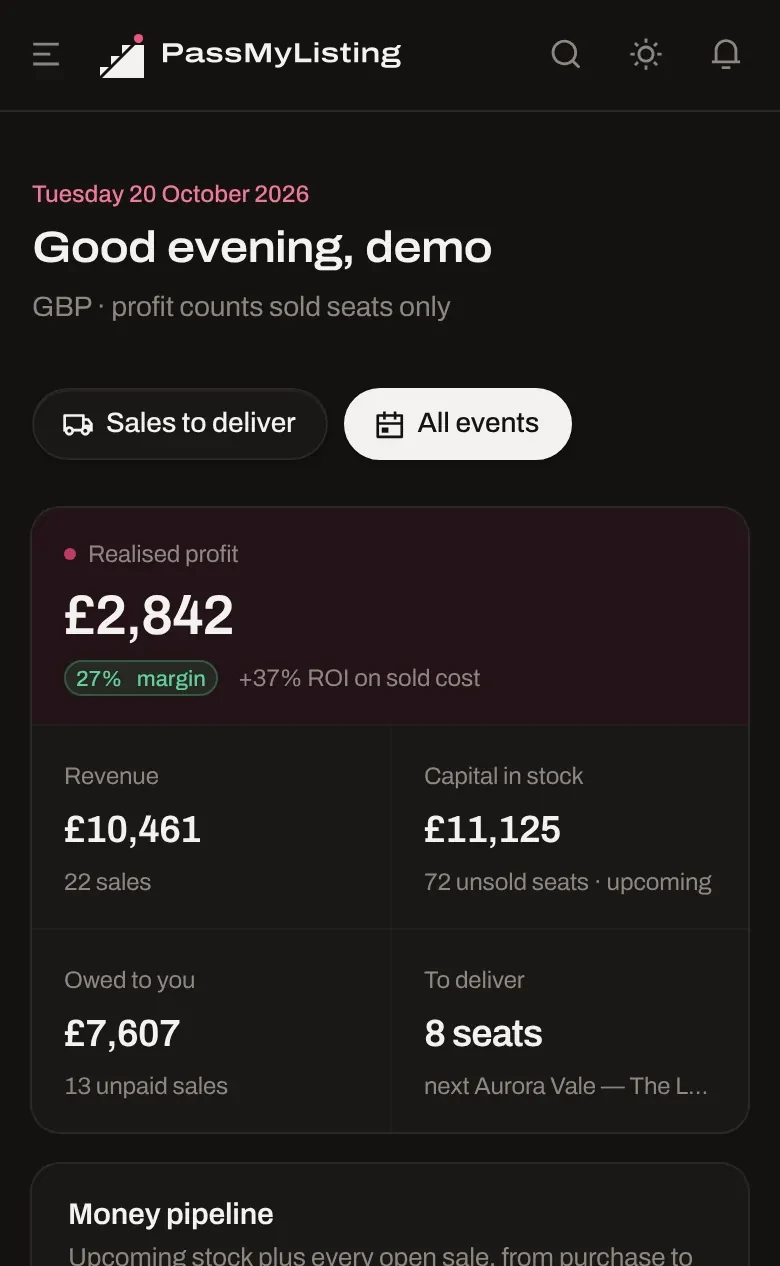
Realised profit, margin and ROI, capital tied up in stock, money owed, and what needs you today — on one overview.
The whole workspace adapts to your phone — check a sale, deliver seats or review a purchase from anywhere.
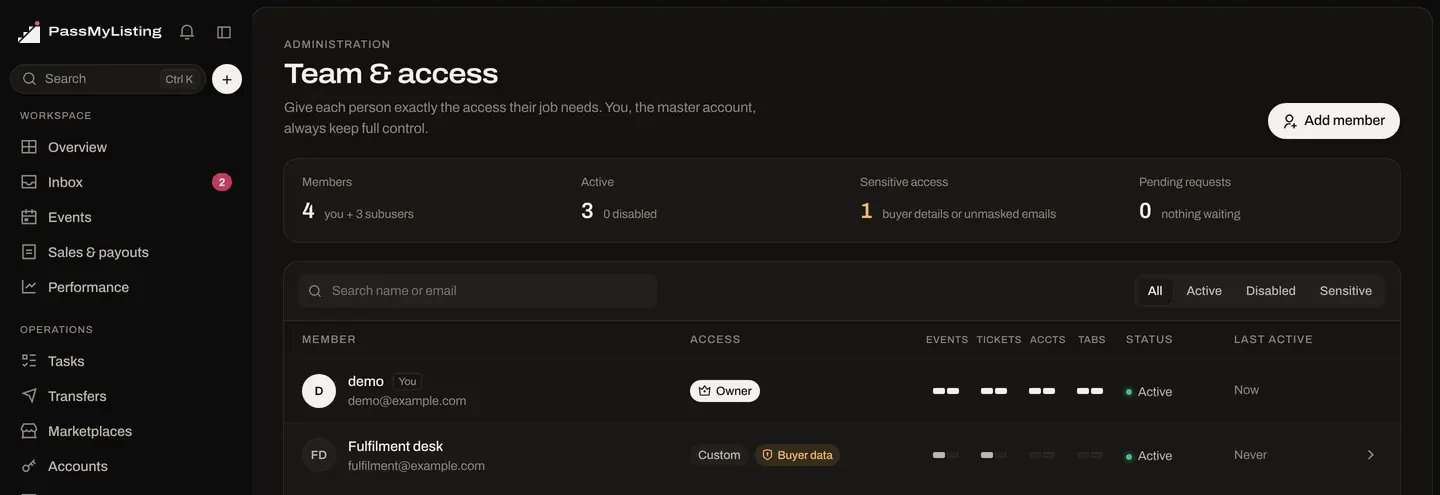
Add subusers for your PAs and fulfilment desk. Each gets exactly what their job needs — and you, the master account, keep full control.
PassMyListing opens to brokerages by request. Tell us about yours — once your workspace is approved, you can sign in and connect everything.